'/%3E %3Ccircle cx='52' cy='51' r='27' fill='url(%23w)'/%3E%3Ccircle cx='52' cy='51' r='19' fill='url(%23r)'/%3E%3Ccircle cx='52' cy='51' r='11' fill='url(%23w)'/%3E%3Ccircle cx='52' cy='51' r='5' fill='%23e11d48'/%3E %3Cpath d='M24 38A32 32 0 0 1 62 20 40 40 0 0 0 24 38z' fill='%23fff' opacity='.3'/%3E %3Cpath d='M28 27 10 14l5 17z' fill='url(%23f)'/%3E%3Cpath d='M28 27 17 8l16 6z' fill='url(%23f)' opacity='.8'/%3E %3Cpath d='M27 26 43 42' stroke='url(%23au)' stroke-width='7' stroke-linecap='round'/%3E%3Cpath d='M43 42 52 51' stroke='%23e2e8f0' stroke-width='3' stroke-linecap='round'/%3E %3Cpath d='M26 23 40 37' stroke='%23fff' stroke-width='1.500' stroke-linecap='round' opacity='.7'/%3E%3C/svg%3E "Missions Golden Genie Casino")

'/%3E%3Crect x='48' y='44' width='29' height='38' rx='6' fill='%23000' opacity='.14'/%3E %3Crect x='14' y='31' width='68' height='17' rx='6' fill='url(%23l)'/%3E%3Crect x='14' y='43' width='68' height='5' rx='2.5' fill='%23000' opacity='.16'/%3E %3Crect x='41' y='31' width='14' height='51' fill='url(%23au)'/%3E%3Crect x='50' y='31' width='5' height='51' fill='%23b45309' opacity='.35'/%3E %3Cpath d='M48 31C40 9 13 10 21 27c4 8 19 7 27 4z' fill='url(%23au)'/%3E%3Cpath d='M48 31c8-22 35-21 27-4-4 8-19 7-27 4z' fill='url(%23ad)'/%3E %3Cpath d='M44 28c-5-9-15-11-16-5-.6 4 9 6 16 5zM52 28c5-9 15-11 16-5 .6 4-9 6-16 5z' fill='%237c2d12' opacity='.35'/%3E %3Ccircle cx='48' cy='30' r='6' fill='url(%23au)' stroke='%23b45309' stroke-width='1.500'/%3E %3Crect x='19' y='35' width='19' height='3.500' rx='1.750' fill='%23fff' opacity='.55'/%3E%3Cpath transform='translate(80 20) scale(1)' d='M0-7 1.800-1.800 7 0 1.800 1.800 0 7-1.800 1.800-7 0-1.800-1.800z' fill='%23fff'/%3E%3Cpath transform='translate(12 60) scale(0.6)' d='M0-7 1.800-1.800 7 0 1.800 1.800 0 7-1.800 1.800-7 0-1.800-1.800z' fill='%23fff'/%3E%3C/svg%3E "Bonus Golden Genie Casino")
'/%3E%3Ccircle cx='48' cy='50' r='37' fill='%2392400e'/%3E%3Ccircle cx='48' cy='47' r='37' fill='url(%23au)'/%3E%3Ccircle cx='48' cy='47' r='29' fill='%231e1b4b'/%3E %3Cpath d='M48 47 59.1 20.2A29 29 0 0 1 74.8 35.9z' fill='%2322c55e'/%3E%3Cpath d='M48 47 74.8 35.9A29 29 0 0 1 74.8 58.1z' fill='%233b82f6'/%3E%3Cpath d='M48 47 74.8 58.1A29 29 0 0 1 59.1 73.8z' fill='%23a855f7'/%3E%3Cpath d='M48 47 59.1 73.8A29 29 0 0 1 36.9 73.8z' fill='%23ec4899'/%3E%3Cpath d='M48 47 36.9 73.8A29 29 0 0 1 21.2 58.1z' fill='%2314b8a6'/%3E%3Cpath d='M48 47 21.2 58.1A29 29 0 0 1 21.2 35.9z' fill='%23f97316'/%3E%3Cpath d='M48 47 21.2 35.9A29 29 0 0 1 36.9 20.2z' fill='%23ef4444'/%3E%3Cpath d='M48 47 36.9 20.2A29 29 0 0 1 59.1 20.2z' fill='%23f59e0b'/%3E%3Ccircle cx='48' cy='47' r='29' fill='none' stroke='%23000' stroke-width='1' opacity='.25'/%3E%3Ccircle cx='60.4' cy='17.0' r='2.200' fill='%23fff'/%3E%3Ccircle cx='78.0' cy='34.6' r='2.200' fill='%23fff'/%3E%3Ccircle cx='78.0' cy='59.4' r='2.200' fill='%23fff'/%3E%3Ccircle cx='60.4' cy='77.0' r='2.200' fill='%23fff'/%3E%3Ccircle cx='35.6' cy='77.0' r='2.200' fill='%23fff'/%3E%3Ccircle cx='18.0' cy='59.4' r='2.200' fill='%23fff'/%3E%3Ccircle cx='18.0' cy='34.6' r='2.200' fill='%23fff'/%3E%3Ccircle cx='35.6' cy='17.0' r='2.200' fill='%23fff'/%3E %3Cpath d='M23 36A28 28 0 0 1 58 21 36 36 0 0 0 23 36z' fill='%23fff' opacity='.28'/%3E %3Ccircle cx='48' cy='47' r='9' fill='url(%23h)' stroke='%23b45309' stroke-width='1.500'/%3E%3Ccircle cx='46' cy='45' r='3' fill='%23fff' opacity='.8'/%3E %3Cpath d='M48 22 39 4h18z' fill='%23ef4444' stroke='%23fff' stroke-width='2' stroke-linejoin='round'/%3E%3C/svg%3E "Wheel Golden Genie Casino")
' stroke='%23b45309' stroke-width='1.500' stroke-linejoin='round'/%3E %3Cpath d='M48 16 73 26v20c0 15-11 26-25 33-14-7-25-18-25-33V26z' fill='url(%23ad)'/%3E %3Cpath d='M48 16 73 26v20c0 15-11 26-25 33z' fill='%23000' opacity='.12'/%3E %3Cpath d='M48 28 64 45 48 69 32 45z' fill='url(%23g)' stroke='%23fff' stroke-width='1.500' stroke-linejoin='round'/%3E %3Cpath d='M48 28 55 45 48 69 41 45z' fill='%23fff' opacity='.3'/%3E%3Cpath d='M32 45h32' stroke='%23fff' stroke-width='1.200' opacity='.7'/%3E %3Cpath d='M19 22 44 12v4L23 25v20c0 5 1 9 3 13-5-6-7-12-7-19z' fill='%23fff' opacity='.5'/%3E%3Cpath transform='translate(76 14) scale(0.8)' d='M0-7 1.800-1.800 7 0 1.800 1.800 0 7-1.800 1.800-7 0-1.800-1.800z' fill='%23fff'/%3E%3C/svg%3E "Loyalty Golden Genie Casino")
'%3E%3Crect x='12' y='30' width='66' height='38' rx='5' fill='url(%23c1)' stroke='%2314532d' stroke-width='1.500'/%3E%3Crect x='17' y='35' width='56' height='28' rx='3' fill='none' stroke='%23dcfce7' stroke-width='1.500' opacity='.7'/%3E%3Ccircle cx='45' cy='49' r='9' fill='%23dcfce7' opacity='.55'/%3E%3C/g%3E%3Cg transform='rotate(4 46 48)'%3E%3Crect x='12' y='30' width='66' height='38' rx='5' fill='url(%23c2)' stroke='%2314532d' stroke-width='1.500'/%3E%3Crect x='17' y='35' width='56' height='28' rx='3' fill='none' stroke='%23dcfce7' stroke-width='1.500' opacity='.7'/%3E%3Ccircle cx='45' cy='49' r='9' fill='%23dcfce7' opacity='.55'/%3E%3C/g%3E %3Ccircle cx='68' cy='68' r='19' fill='%2392400e'/%3E%3Ccircle cx='68' cy='65' r='19' fill='url(%23k)'/%3E%3Ccircle cx='68' cy='65' r='14' fill='none' stroke='%23d97706' stroke-width='1.800'/%3E %3Cpath d='M61 67a7.500 7.500 0 1 0 2.500-7.500' fill='none' stroke='%2392400e' stroke-width='3.200' stroke-linecap='round'/%3E%3Cpath d='M58.500 55.500 65 60l-7 3z' fill='%2392400e'/%3E %3Cpath d='M54 56a16 16 0 0 1 20-7 20 20 0 0 0-20 7z' fill='%23fff' opacity='.5'/%3E%3Cpath transform='translate(18 20) scale(0.7)' d='M0-7 1.800-1.800 7 0 1.800 1.800 0 7-1.800 1.800-7 0-1.800-1.800z' fill='%23fff'/%3E%3C/svg%3E "Cashback Golden Genie Casino")
' stroke='%23b45309' stroke-width='1.800' stroke-linejoin='round'/%3E %3Cpath d='M48 21 61 49 77 30 83 70H48z' fill='%23b45309' opacity='.22'/%3E %3Crect x='12' y='66' width='72' height='16' rx='5' fill='url(%23ad)' stroke='%2392400e' stroke-width='1.500'/%3E%3Crect x='16' y='68.500' width='64' height='3' rx='1.500' fill='%23fff' opacity='.45'/%3E %3Ccircle cx='19' cy='28' r='6' fill='url(%23au)' stroke='%23b45309' stroke-width='1.500'/%3E%3Ccircle cx='48' cy='19' r='6.500' fill='url(%23au)' stroke='%23b45309' stroke-width='1.500'/%3E%3Ccircle cx='77' cy='28' r='6' fill='url(%23au)' stroke='%23b45309' stroke-width='1.500'/%3E %3Ccircle cx='48' cy='75' r='5' fill='url(%23j)' stroke='%23fff' stroke-width='1.200'/%3E%3Ccircle cx='29' cy='75' r='3.500' fill='%2338bdf8' stroke='%23fff' stroke-width='1'/%3E%3Ccircle cx='67' cy='75' r='3.500' fill='%234ade80' stroke='%23fff' stroke-width='1'/%3E %3Cpath d='M21 36 33 51 30 62H18z' fill='%23fff' opacity='.4'/%3E%3Cpath transform='translate(84 16) scale(0.8)' d='M0-7 1.800-1.800 7 0 1.800 1.800 0 7-1.800 1.800-7 0-1.800-1.800z' fill='%23fff'/%3E%3C/svg%3E "VIP Club Golden Genie Casino")
'/%3E%3Ccircle cx='48' cy='48' r='28' fill='url(%23ad)' opacity='.55'/%3E%3Ccircle cx='48' cy='48' r='28' fill='none' stroke='%23fff3b0' stroke-width='1.800'/%3E %3Cpath d='M61 35 35 61' stroke='%237c2d12' stroke-width='7' stroke-linecap='round'/%3E%3Ccircle cx='37' cy='37' r='6.500' fill='none' stroke='%237c2d12' stroke-width='5.500'/%3E%3Ccircle cx='59' cy='59' r='6.500' fill='none' stroke='%237c2d12' stroke-width='5.500'/%3E %3Cpath d='M21 36A30 30 0 0 1 60 19 38 38 0 0 0 21 36z' fill='%23fff' opacity='.5'/%3E%3Cpath transform='translate(80 22) scale(0.9)' d='M0-7 1.800-1.800 7 0 1.800 1.800 0 7-1.800 1.800-7 0-1.800-1.800z' fill='%23fff'/%3E%3C/svg%3E "Promotions Golden Genie Casino")
'%3E%3Crect x='25' y='6' width='42' height='82' rx='10' fill='url(%23p)' stroke='%23aab1ff' stroke-width='2'/%3E%3Crect x='29.500' y='12' width='33' height='68' rx='6' fill='url(%23s)'/%3E %3Crect x='40' y='8.500' width='12' height='2.500' rx='1.250' fill='%23aab1ff'/%3E%3Crect x='34' y='18' width='24' height='13' rx='3' fill='%23fff' opacity='.85'/%3E %3Crect x='34' y='35' width='10.500' height='10.500' rx='2.500' fill='%23fff' opacity='.55'/%3E%3Crect x='47.500' y='35' width='10.500' height='10.500' rx='2.500' fill='%23fff' opacity='.55'/%3E %3Crect x='34' y='49' width='10.500' height='10.500' rx='2.500' fill='%23fff' opacity='.55'/%3E%3Crect x='47.500' y='49' width='10.500' height='10.500' rx='2.500' fill='%23fff' opacity='.55'/%3E %3Cpath d='M29.500 18a6 6 0 0 1 6-6h12L29.500 44z' fill='%23fff' opacity='.22'/%3E%3C/g%3E %3Ccircle cx='70' cy='70' r='16' fill='url(%23d)' stroke='%23fff' stroke-width='2.500'/%3E%3Cpath d='M70 61v15M63.500 70.500 70 77l6.500-6.500' fill='none' stroke='%23fff' stroke-width='3.500' stroke-linecap='round' stroke-linejoin='round'/%3E%3C/svg%3E "Golden Genie Casino App")
Golden Genie Casino Login: Sign In From Any Device
Logging in to Golden Genie Casino takes just two fields: your registered email address and your password, entered on the same form whether you're on a laptop, tablet or phone. This guide walks through signing in on any device, getting back in if you've forgotten your password, fixing the login hiccups players run into most often, and what's waiting for you the second you're through the door.
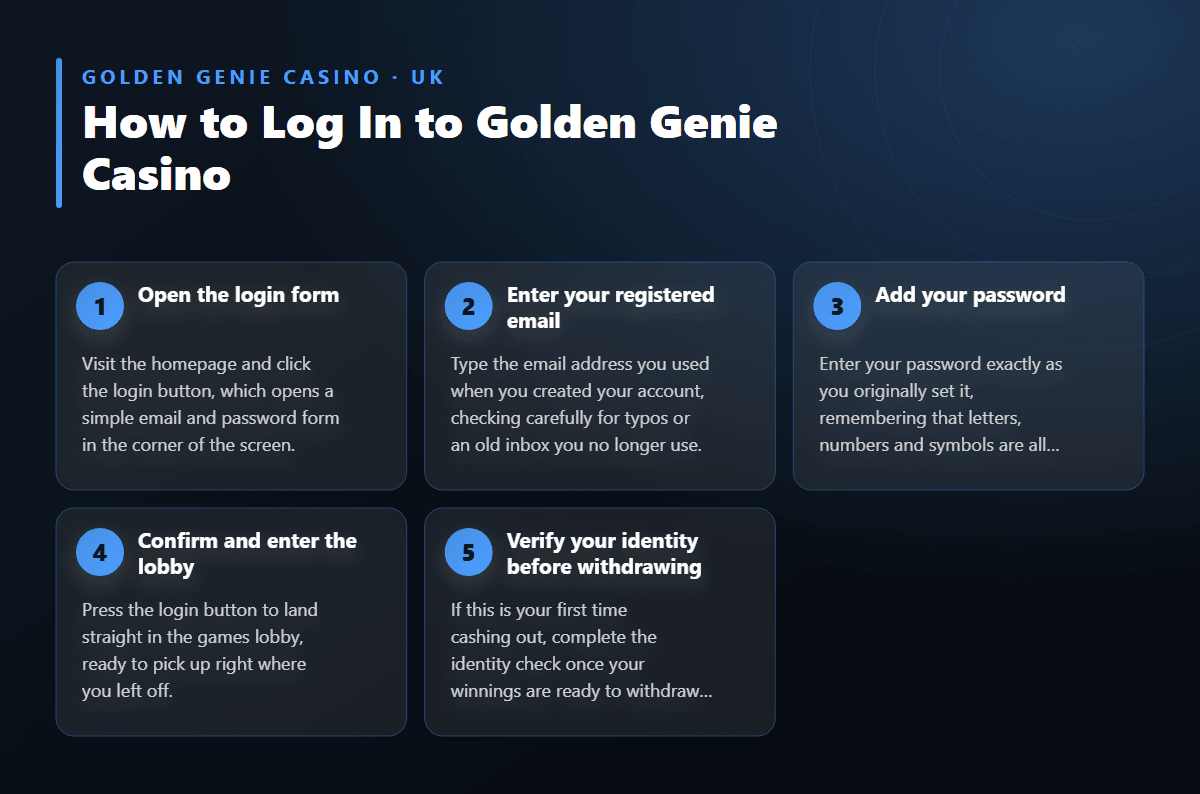
How to Log In to Golden Genie Casino
Follow these steps to sign in and reach the lobby in moments.
- Open the login form Visit the homepage and click the login button, which opens a simple email and password form in the corner of the screen.
- Enter your registered email Type the email address you used when you created your account, checking carefully for typos or an old inbox you no longer use.
- Add your password Enter your password exactly as you originally set it, remembering that letters, numbers and symbols are all case-sensitive.
- Confirm and enter the lobby Press the login button to land straight in the games lobby, ready to pick up right where you left off.
- Verify your identity before withdrawing If this is your first time cashing out, complete the identity check once your winnings are ready to withdraw, as a one-off step separate from logging in.
Quick Links: What This Page Covers
Jump straight to the part you need:
- Logging in on desktop and mobile
- Recovering a forgotten password
- Fixing common login problems
- Keeping your account secure
- What's unlocked after you log in
Login Access at a Glance
| Login Option | Device | What You Need | Good to Know |
|---|---|---|---|
| Standard login | Desktop browser | Registered email & password | Loads the full lobby instantly |
| Standard login | Mobile browser | Registered email & password | No app download required |
| Password reset | Any device | Access to your registered email | Reset link arrives shortly after you request it |
| First withdrawal | Any device | Identity documents | Verification happens once, after you've logged in |
| Account limits | Any device | Logged-in account settings | Set deposit and session limits at any time |
| Support contact | Any device | Email with account details | Useful if your usual login details stop working |
How to Log In on Desktop and Mobile
There's no separate login page to hunt for and no app to install first. Open the casino's homepage on any device, click the login button in the top corner, and a short form appears asking for your email address and password. The same form behaves identically on a laptop, a tablet or a phone browser, because Golden Genie Casino is built as a browser-based platform rather than a downloadable app, so there's nothing to update or reinstall when a new game is added to the lobby.
On mobile, the layout simply resizes to fit your screen, so buttons stay large enough to tap accurately and the lobby loads just as quickly as it does on desktop. If you've logged in before and ticked a box to stay signed in, your phone's browser may skip the password step entirely on return visits, though on a shared or borrowed device it's worth logging out manually once you're finished playing.
Once you're through the form, you land directly in the lobby, where your balance, recent games and account menu are all visible at a glance. Players who haven't created login details yet can set up an account through the registration page before attempting to sign in.
Forgot Your Password? Here's How to Get Back In
A forgotten password doesn't lock you out for long. Look for the forgotten-password link sitting just below the login form, click it, and enter the email address you registered with. A reset link lands in your inbox shortly afterwards, and clicking it opens a page where you can set a brand-new password.
Check your spam or promotions folder if the email doesn't appear straight away, since some mail providers quietly file automated messages there. Once you've chosen a new password, head back to the login form and sign in as normal; there's no need to contact support unless the reset email never arrives at all.
It's worth picking a password you haven't used elsewhere, mixing letters, numbers and a symbol, so your account stays difficult to guess while remaining easy enough for you to remember on your next visit.
Common Login Problems and How to Fix Them
Most login trouble comes down to a handful of simple causes, and each one has a quick fix.
- Wrong email or password: double-check for extra spaces or autocorrect changes, especially on a phone keyboard, and try typing the details manually instead of relying on autofill.
- Caps lock or a switched keyboard language: passwords are case-sensitive, so a stray capital letter or a language switch will stop you getting in even if you remember the password correctly.
- Browser cache conflicts: clearing cookies or trying a private browsing window often resolves a login form that keeps refusing valid details.
- An outdated browser: an old browser version can occasionally struggle to load the login form properly, so updating it or switching browsers usually sorts this out.
- Account not yet verified: if you can log in but can't withdraw, you may simply need to complete identity verification first, which is a separate step from signing in.
If none of these fixes work, the support team can be reached by email and will usually ask for your registered details to confirm it's really you before making any changes.
Keeping Your Account Secure After You Sign In
Golden Genie Casino operates under a Curacao eGaming licence, and the same account protections that underpin that licence apply the moment you log in. Your session is encrypted, and the platform asks for identity documents before your first withdrawal, which adds a second layer of protection beyond just the password.
A few habits make your side of the security just as strong. Avoid logging in over public Wi-Fi without a secure connection, log out properly on shared or borrowed devices, and refresh your password occasionally rather than reusing one from another site. The account area also lets you set deposit and session limits, a useful way to keep your play within a comfortable budget regardless of how long you stay signed in.
If you ever notice activity you don't recognise, changing your password immediately and contacting support is the fastest way to lock things back down.
What You Can Play the Moment You're Logged In
Signing in opens the door to a lobby stocked with more than 530 games, built on titles from established studios including Play'n GO, NetEnt and Amatic. NetEnt is one of the longest-running names in online slot development, known for polished, reliably built releases, and its catalogue sits alongside Play'n GO's colourful adventure slots and Amatic's classic-style machines inside the same lobby.
New arrivals are often drawn straight to Wish Master, the slot tied to the welcome offer's free spins, while a dedicated jackpot section groups together the games with the biggest pooled prizes for anyone chasing a bigger win. Beyond slots, logging in also gives access to a live casino area with roulette, blackjack, poker and hosted game shows, dealt in real time for players who prefer a table over a reel.
Everything in the lobby, from the welcome offer described on the bonus page to the live tables, sits behind the same single login, so there's no separate account needed for different parts of the site.